
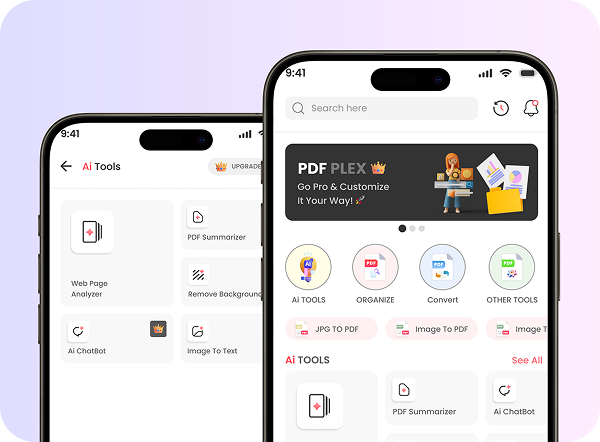
PDF Plex Mobile
App
Design
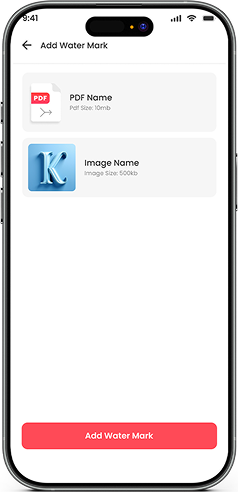
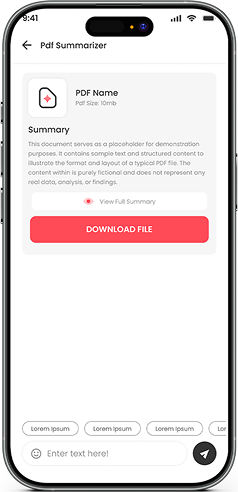
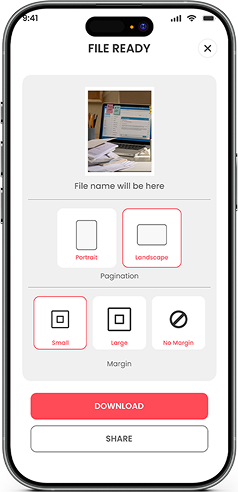
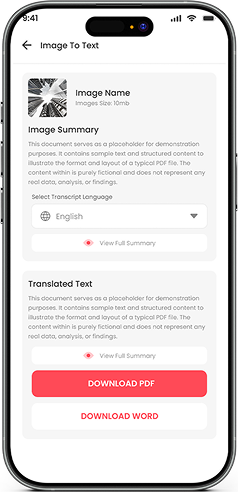
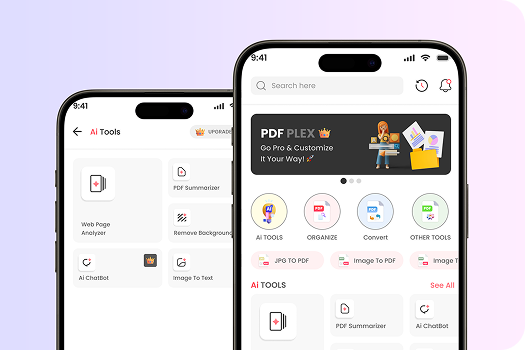
PdfPlex Mobile App Design is created to provide users with a complete suite of PDF management tools in one sleek and user-friendly platform. The app allows users to merge, split, compress, and convert PDFs with ease, while also offering advanced features such as adding watermarks, signing documents, and organizing files. Designed with simplicity and productivity in mind, PdfPlex ensures quick navigation, smooth workflows, and modern visuals that make complex PDF tasks easy for everyone. Whether for students, professionals, or businesses, the app delivers a powerful yet accessible solution for handling documents on the go.
Check Out Mobile App Screens
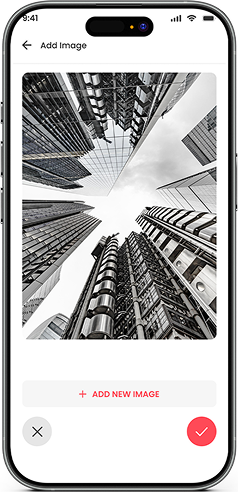
UI UX Designing Requirements Text To Pdf-Plex
1. User-Friendly Design
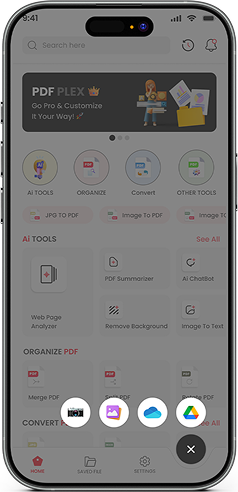
A modern, intuitive interface that ensures smooth navigation and easy access to all tools.
2. AI Chat
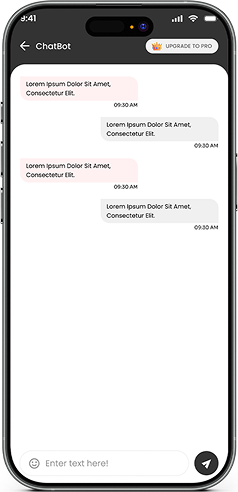
Includes smart features like Background Remover, AI Chatbot, Paraphrasing Tool, and YouTube Summarizer for enhanced productivity.
3. Optimize PDF
Essential tools to manage documents such as Merge, Split, Rotate, Protect, Compress, Add Watermark, and Sign PDF.
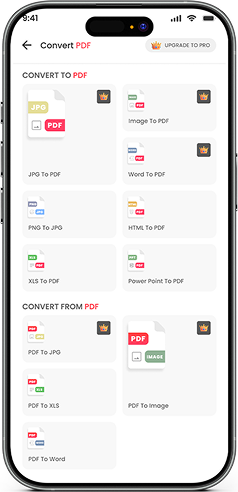
4. Convert to PDF
Ability to convert files from various formats into PDF, including Images, JPG, XLS, Word, and more.
5. Convert from PDF
Tools to extract and convert PDFs into multiple file types for flexibility and convenience.
6. Settings & Personalization
Customization options to adjust app preferences, manage profiles, and configure tool accessibility.
UI UX Solution For Pdf Plex Mobile App Design
1. Clean & Productive Interface
Designed a modern and user-friendly layout that allows users to quickly access and use multiple PDF tools without confusion.
2. AI-Powered Tools
Integrated advanced AI features like Background Remover, Chatbot assistance, Paraphrasing Tool, and
YouTube Summarizer to add extra value beyond basic PDF handling.
3. PDF Optimization Suite
Developed a set of tools to merge, split, rotate, protect, compress, watermark, and sign PDFs, making file management seamless.
4. Convert to PDF
Created smooth workflows to easily convert images, JPGs, XLS, Word, and other formats into PDFs with just a few taps.
5. Convert from PDF
Enabled flexible conversion of PDFs back into various formats for enhanced usability and editing.
6. Settings & Customization
Designed personalized settings where users can manage preferences, profiles, and tool configurations for a tailored experience.

Experience the best in web development with our UK-based team
Get professional web development services in the UK from our team of skilled web developers. We’ll help you design scalable, high-performance websites that will engage users, boost visibility, increase conversions, enhance brand credibility, and drive long-term business growth.
Empowering UK Businesses
Through Digital
Transformation
Digital transformation is Devomni’s forte when it comes to transforming businesses in the UK. As a leading web development company in the UK, we help your brand reach a wider audience through modern, responsive web designs that adapt to various devices seamlessly.
FAQs
The primary goal was to create a clean, intuitive, and productivity-focused design that allows users to easily manage and edit PDF documents. The design focuses on simplifying complex document tasks through smooth navigation, modern visuals, and structured tool organization.
The design includes a complete PDF optimization suite featuring merge, split, rotate, protect, compress, watermark, and document signing tools. These features are organized to provide a seamless workflow for users managing multiple document tasks.
Yes, the design integrates AI-powered tools such as a background remover, AI chatbot, paraphrasing tool, and YouTube summarizer. These features enhance productivity by providing additional document and content assistance beyond traditional PDF tools.
Yes, the app design includes streamlined workflows that allow users to convert various file formats such as images, JPG, Word, Excel, and other supported formats into PDF quickly and efficiently.
The design supports flexible conversion from PDF to multiple file types, enabling users to extract content and edit documents in formats such as Word, images, and spreadsheets.
Yes, the design includes customizable settings that allow users to manage profiles, adjust preferences, and configure tool accessibility, ensuring a personalized and user-friendly experience.

Let’s Talk;
We’re Here to Help