
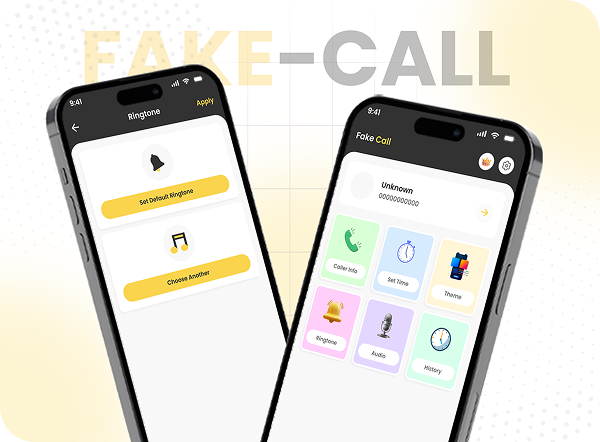
Fake Call Mobile App UI/UX Design
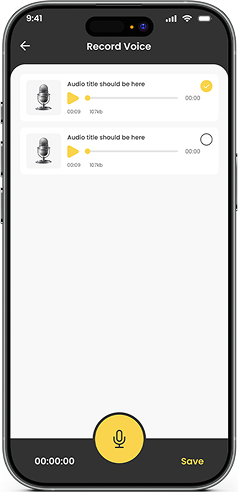
The Fake Call Mobile App UI/UX Design is crafted to deliver a playful yet believable calling experience. Designed for entertainment and practical scenarios, the app allows users to quickly schedule realistic fake calls to exit awkward situations or prank friends.
With a clean, modern interface and intuitive user flow, users can set up a fake call in seconds—customizing caller details, ringtones, and themes for maximum realism and fun.
Interactive & User-Centered App Experience
The app design focuses on simplicity, speed, and immersion. Every screen is optimized to reduce friction, allowing users to access key features with minimal effort. Smooth navigation, engaging visuals, and realistic call simulations ensure the experience feels authentic while remaining easy to use.
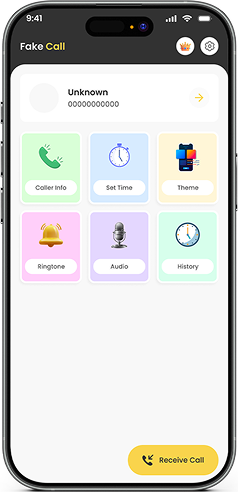
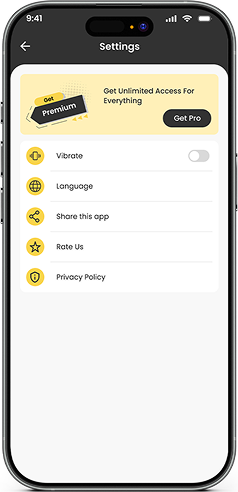
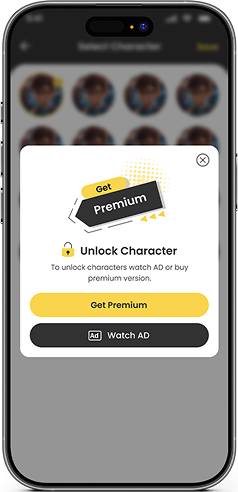
Core UI/UX Requirements for Fake Call App
1. User-Friendly Interface
A modern, minimal layout that allows users to schedule and manage fake calls effortlessly.
2. Custom Call Scheduling
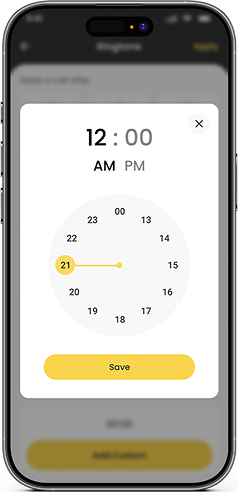
Users can set or edit the exact time of incoming fake calls with a simple interaction flow.
3. Call History Management
A dedicated history section for reviewing and reusing previous fake calls.
4. Ringtone Selection
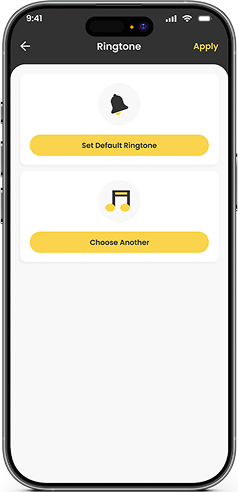
Multiple ringtone options to enhance realism and personalization.
5. Theme Customization
Custom themes and styles to match user preferences and moods.
6. Realistic Incoming Call Simulation
A highly detailed call screen that closely mimics real phone call interfaces.
7. Advanced Settings
Customizable caller names, numbers, notifications, and preferences.
8. Premium Features
Access to celebrity calls, exclusive themes, and advanced customization options.
UI/UX Solutions Delivered
1. Clean & Engaging Interface
Designed a visually appealing and intuitive layout that allows users to activate fake calls in just a few taps.
2. Simplified Scheduling Flow
Implemented an easy-to-use time-setting feature for quick call activation or edits.
3. Organized Call History
Added a structured history section for fast access to previously created calls.
4. Theme Personalization
Enabled ringtone selection to make fake calls feel more authentic and believable.
5. Theme Customization
Designed multiple themes to let users customize the app’s look and feel.
6. Highly Realistic Call Screen
Developed a lifelike incoming call interface that mirrors real mobile call experiences.
7. Realistic Call Screen
Developed a highly detailed incoming call simulation that looks and feels just like a real phone call.
8. Flexible Settings Control
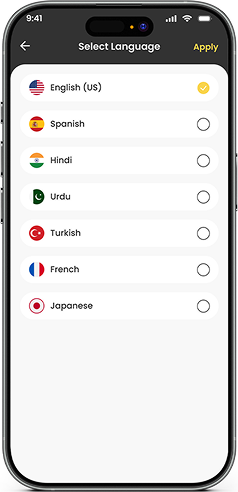
Provided detailed customization for caller identity, notifications, and app behavior.
9. Premium Upgrade Experience
Created a smooth, conversion-focused upgrade flow that unlocks advanced features and exclusive content.
Interactive & User-Centered App Experience
Experience the best in web development with our UK-based team
Get professional web development services in the UK from our team of skilled web developers. We’ll help you design scalable, high-performance websites that will engage users, boost visibility, increase conversions, enhance brand credibility, and drive long-term business growth.
Empowering UK Businesses
Through Digital
Transformation
Digital transformation is Devomni’s forte when it comes to transforming businesses in the UK. As a leading web development company in the UK, we help your brand reach a wider audience through modern, responsive web designs that adapt to various devices seamlessly.
FAQs
The app is designed to provide users with a fun and realistic fake calling experience. It allows users to schedule and simulate fake calls to prank friends or exit awkward situations, all through a clean and intuitive interface.
Yes, the design includes a simple and interactive scheduling feature that allows users to set or edit the exact time for incoming fake calls, ensuring convenience and flexibility.
The UI/UX design supports detailed customization, including caller names, phone numbers, ringtones, and themes. Users can personalize each fake call to make it feel authentic and engaging.
Yes, the app includes a structured call history section where users can review and reuse previously created fake calls, making it easy to manage and repeat pranks.
Absolutely. The design features highly detailed incoming call screens that closely mimic real phone call interfaces, providing a believable and immersive experience for users.
Yes, the design incorporates a premium upgrade option that unlocks celebrity calls, exclusive themes, and advanced customization tools, offering an enhanced and engaging user experience.

Let’s Talk;
We’re Here to Help