
Text To Speech Mobile App Design
The Text-to-Speech (TTS) Mobile App Design is built to help
users instantly convert written text into natural-sounding
speech. With a clean and user-friendly interface, the app allows
users to paste or type text, select from different voices, adjust
speed and tone, and listen to the output with just one tap.
Designed for accessibility, productivity, and entertainment, the
app provides smooth navigation and customizable settings to
suit every user’s preference. Whether it’s for learning,
multitasking, or fun, the design ensures a seamless and
engaging experience.
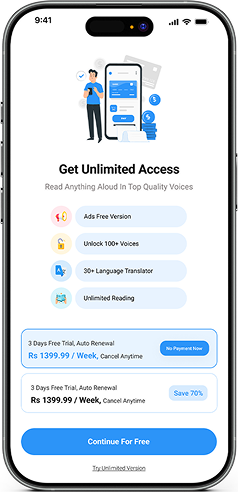
Check Out Mobile App Screens
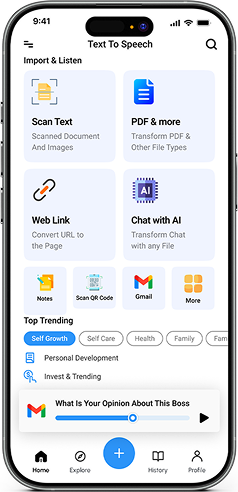
UI UX Designing Requirements Text To Speech App Design
1. User-Friendly Design
- A simple, modern, and intuitive interface to ensure smooth navigation and ease of use.
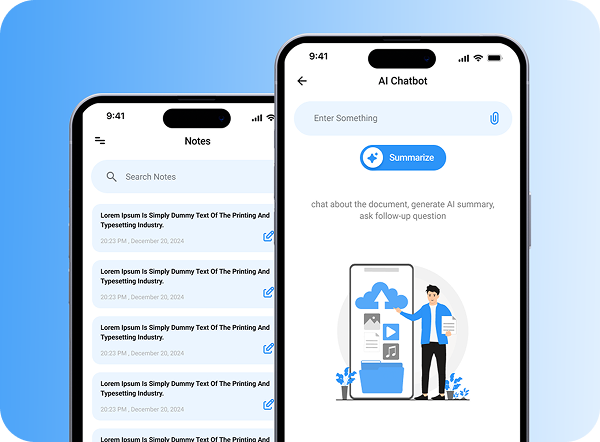
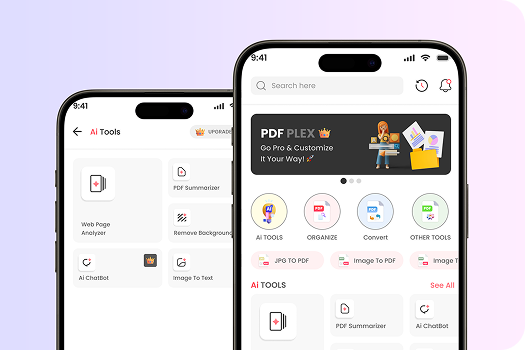
2. AI Chat
- Built-in AI assistant for quick help, smart responses, and interactive support.
3. URL to Page
- Users can paste a webpage URL and convert its content into speech instantly.
4. Scan Text
- Ability to scan printed or handwritten text and convert it into readable speech.
5. AI Notes
- Smart note-taking feature that allows saving and organizing text for future use
6. Scan QR Code
- Quick scanning of QR codes to fetch and read text or links directly.
7. Profile
- Personalized user profiles with customization options
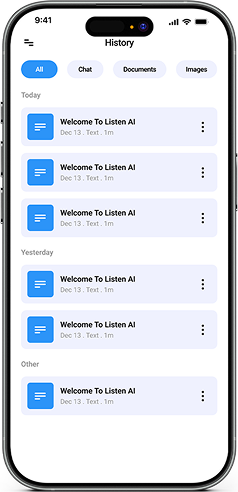
8. History
- A section to track and manage previously converted text and activities.
9. Voice to Text
- Convert spoken words into written text with high accuracy.
10. PDF & Document Support
- Upload and convert PDFs and documents into speech.
11. Advanced Settings
- Options to adjust voice, pitch, speed, and other preferences for a tailored experience.
UI UX Solution For Text To Speech Mobile App Design
1. Clean & Accessible Interface
Designed a modern and minimal layout with easy navigation, ensuring users can quickly convert text to speech without confusion.
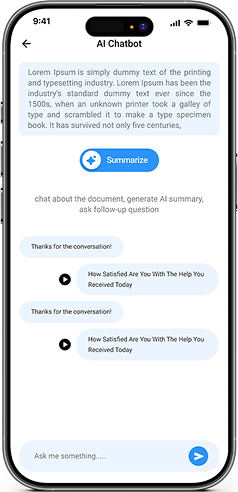
2. Integrated AI Chat
Added an intelligent chatbot to provide instant assistance, answer queries, and enhance the user experience.
3. Web Page to Speech
Created a feature where users can paste any URL, and the app extracts the content and converts it into natural speech.
4. Text Scanning Functionality
Designed an OCR-based flow that allows scanning of printed or handwritten text, making it instantly available for speech conversion. more authentic.
5. Smart AI Notes
Designed an OCR-based flow that allows scanning of printed or handwritten text, making it instantly available for speech conversion.
6. QR Code Scanner
Added a scanner to fetch text or links from QR codes, which can then be read aloud by the app.
7. Personalized Profiles
Designed profile screens where users can manage preferences, settings, and saved data.
8. History Management
Implemented a history section to keep track of all past conversions, scans, and activities
9. Voice to Text Conversion
Enabled real-time speech-to-text functionality for quick note-taking and dictation.
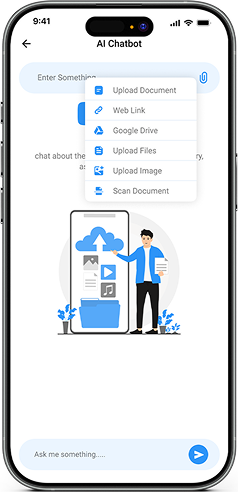
10. PDF & Document Support
Provided the option to upload PDFs or other documents and convert their content into speech.
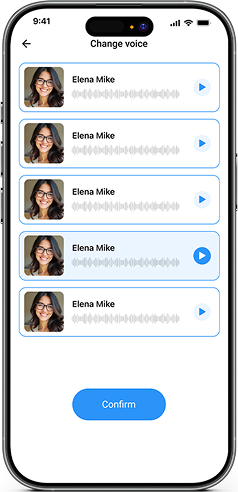
11. Advanced Customization
Integrated settings to adjust pitch, voice type, and reading speed, giving users a tailored experience.
Experience the best in web development with our UK-based team
Get professional web development services
in the UK from our team of skilled web developers. We’ll help you design scalable, high-performance websites that will engage users, boost visibility, increase conversions, enhance brand credibility, and drive long-term business growth.
Empowering UK Businesses
Through Digital
Transformation
Digital transformation is Devomni’s forte when it comes to transforming businesses in the UK. As a leading web development company in the UK, we help your brand reach a wider audience through modern, responsive web designs that adapt to various devices seamlessly.
FAQs
The app is designed to convert written text into natural-sounding speech instantly. It helps users listen to text content from documents, webpages, scanned text, and other sources, improving accessibility, productivity, and entertainment.
Yes, the app allows users to paste a webpage URL, extract its content, and convert it into spoken audio in real-time. This feature is ideal for listening to articles, blogs, and online content on the go.
The app includes OCR-based text scanning functionality, enabling users to scan printed or handwritten content and convert it instantly into natural speech for easy listening.
Users can personalize their experience by adjusting voice type, pitch, speed, and tone. These advanced settings allow for a tailored and natural-sounding speech output.
Yes, users can upload PDFs or documents to convert their content into speech. Additionally, the app can scan QR codes to fetch embedded text or links and read them aloud seamlessly.
The app includes a history section to track previously converted text, scanned content, and activities. Users can also save and organize text using AI-powered smart notes for future reference.

Let’s Talk;
We’re Here to Help